
About cookies on this site Our websites require some cookies to function properly (required). In addition, other cookies may be used with your consent to analyze site usage, improve the user experience and for advertising. For more information, please review your options. By visiting our website, you agree to our processing of information as described in IBM’sprivacy statement. To provide a smooth navigation, your cookie preferences will be shared across the IBM web domains listed here.
Article
An introduction to Watson Natural Language Processing
Use IBM Watson Natural Language Processing services to develop increasingly smart applications
With IBM Watson Natural Language Processing services, you can efficiently analyze and parse large amounts of text input to produce actionable insights.
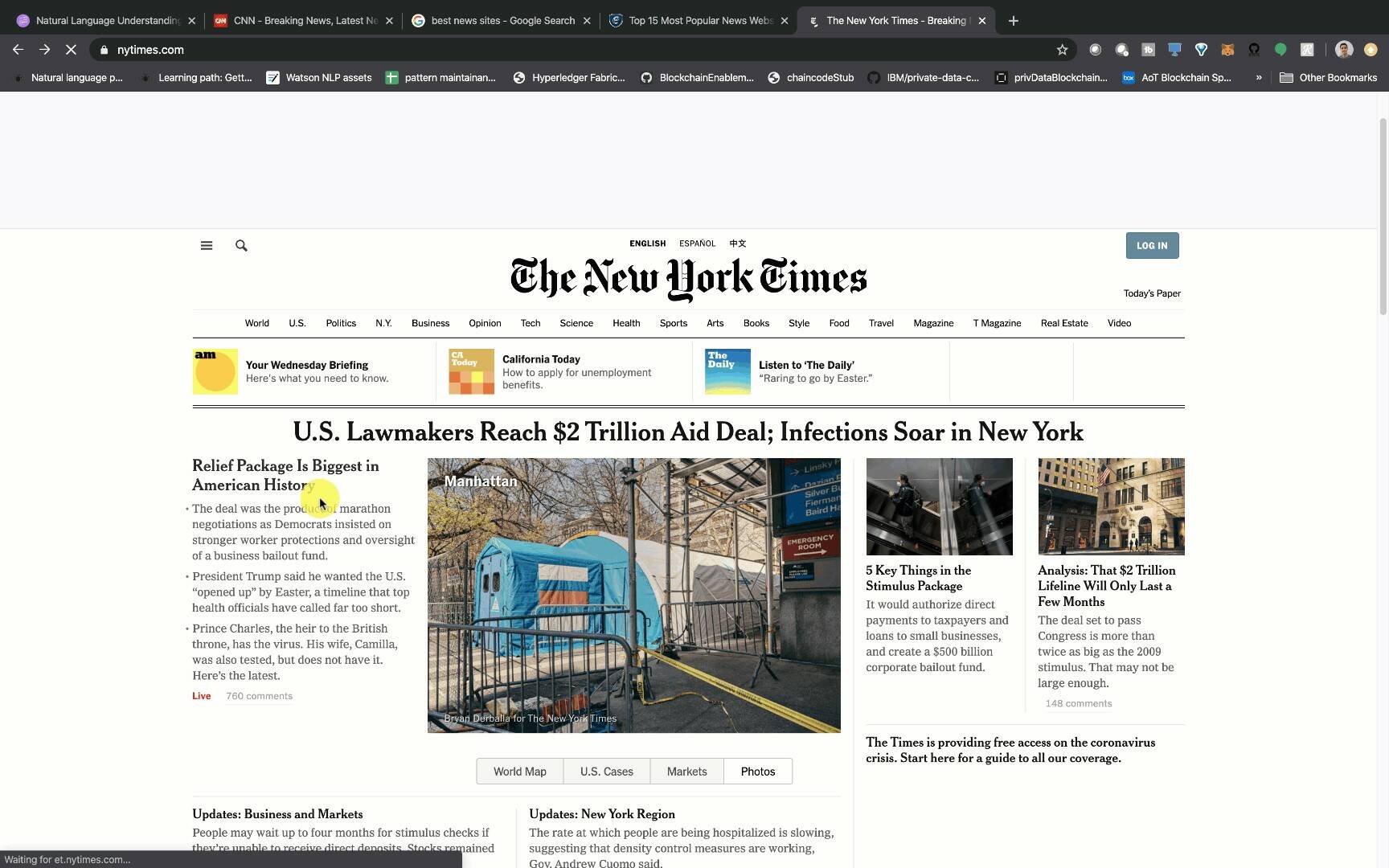
Give it a URL or a popular news site, and Watson Natural Language Processing is able to ingest text from the site and analyze it within seconds, much faster than a human. The text is analyzed by categories, concepts, emotions, entities, relations, sentiments, and more, all of which you can customize. The information extracted from this service enables you to find more meaning in text, understand trends, and recommend similar content from large amounts of data.
This article explains how IBM Watson Natural Language Processing services can help you use natural language processing services to develop increasingly smart applications. While this article focuses mostly on the Watson Natural Language Understanding and Watson Knowledge Studio services, you can learn about Watson Discovery in the Introduction to Watson Discovery article.
Watson Natural Understanding
Natural language processing is a subfield of linguistics, computer science, and artificial intelligence that studies the interaction between computers and human languages, and more specifically how to program computers to process and analyze large amounts of natural language data. This section explains terms that are specific to Watson Natural Language Understanding.
Natural Language Understanding: A subtopic of natural language processing in AI that deals with the way machines interpret text and understand meanings based on the context.
Features: The possible classifications that Watson Natural Language Understanding can output from the given text input. These include categories, concepts, emotions, keywords, metadata, relations, semantic roles, and sentiment.
Entities: People, companies, location, and classifications that are made by Watson. A full list of entity types and subtypes can be found in the Natural Language Understanding documentation.
Categories: Five levels of hierarchies that Watson can identify from the input text. The following table gives an example for a "fax machine."
| Level 1 | Level 2 | Level 3 | Level 4 | Level 5 | | ------- | ------- | ------- | ------- | ------- | | technology and computing | hardware | computer peripherals | printers, copiers, and fax | fax machines |
Concepts: High-level concepts that are not necessarily directly referenced in the text.
Metadata: A set of data that describes and gives information about other data. For example, for a given input URL, the metadata fields can include publication date, title, and author.
Relations: The recognition of when two entities are related, and identification of the type of relation.
Watson Knowledge Studio
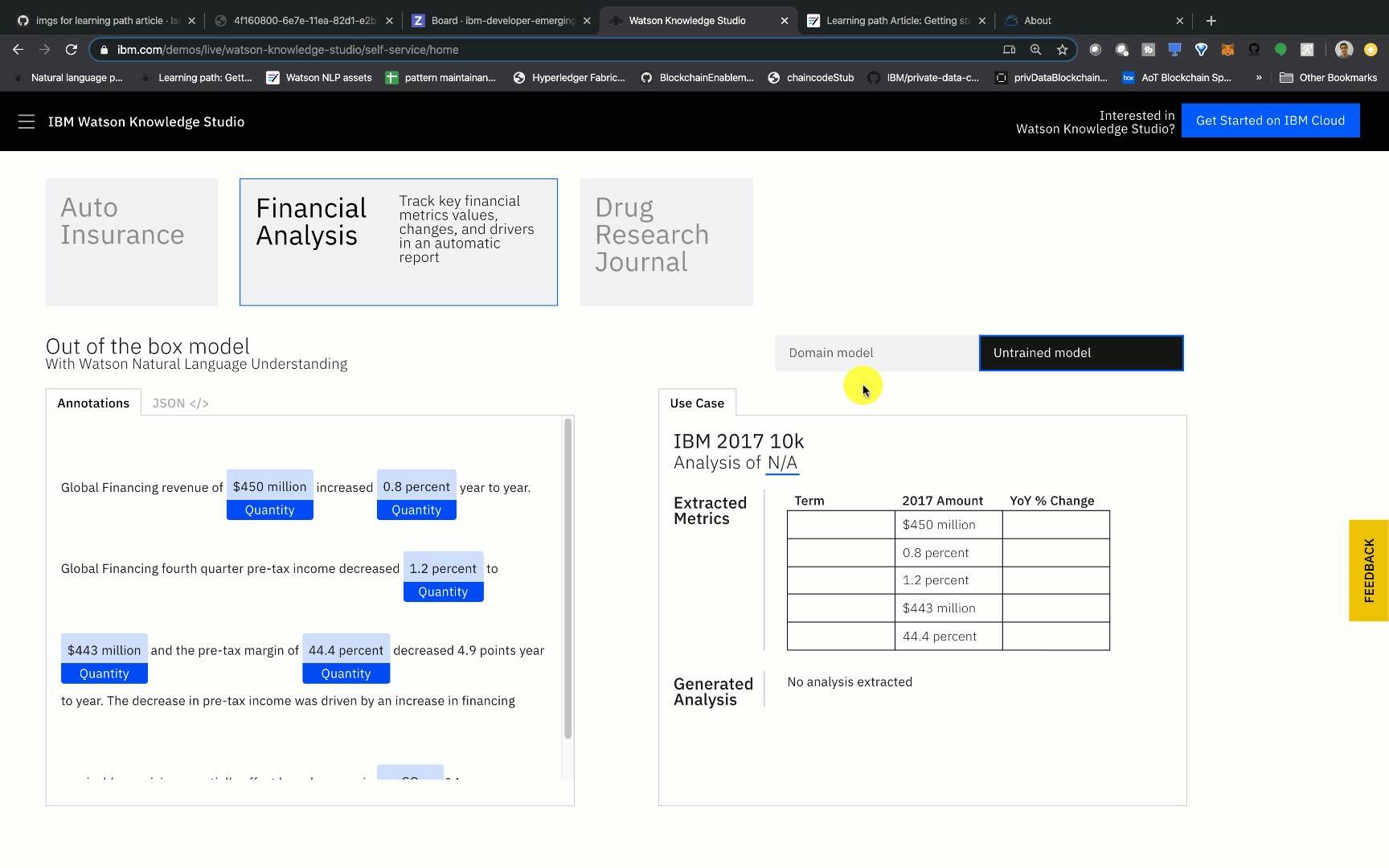
After you understand the basics of Watson Natural Language Understanding, you see that the power of Watson lies in the accuracy of its results. Watson is great out of the box, but is not trained on every industry's domain-specific knowledge. Therefore, you might need to teach Watson specific linguistic nuances, relations, and meanings specific to your industry. For example, if you are working with a start-up that is assessing credit risk, you not only need to teach Watson the name of your start-up so that it recognizes it as an entity type of "Organization," but also the nuances of financial terminology such as credit, crash, and interest. Each of these words might have different meanings based on their context, and the more annotations you can train Watson with, the more accurate your model and your results will be.
You need to understand these terms for Watson Knowledge Studio:
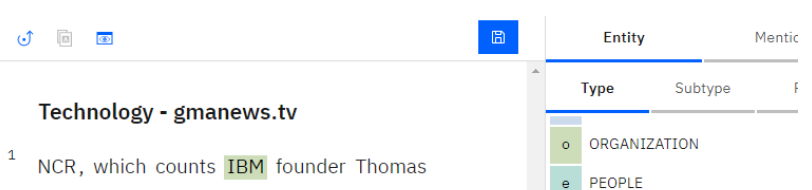
Annotation: The process of selecting specific text from a document and associating it with predefined entities. For example, "IBM" would be associated with the entity type "Organization," as shown in the following figure.
Annotation set: Documents that you assign to a human to annotate.
Watson Knowledge Studio: A tool that lets you build a machine learning model to identify entities and relationships without any coding expertise. It lets you annotate documents and train Watson in your domain knowledge.
Ground truth: The set of vetted data consisting of annotations added by human annotators that is used to adapt a machine learning model to a particular domain.
Machine learning model: A component that identifies entities and entity relationships according to a statistical model that is based on ground truth. The model applies past experience, such as training data, to determine or predict the correct outcome of future experiences based on characteristics of the data. These past experiences are captured in the form of a model by calculating feature scores for each candidate answer or evidence and combining that with known outcomes. This is sometimes referred to as a machine learning annotator.
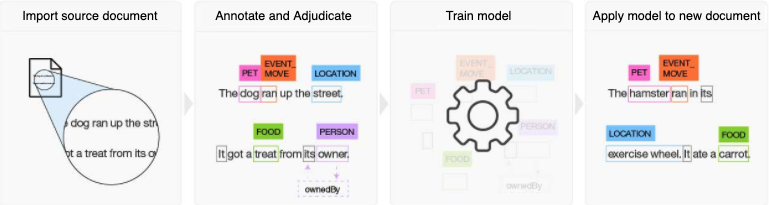
Train model: The process of setting up a Watson instance with components that enable the system to function in a particular domain (for example, corpus content, training data that generates machine learning models, programmatic algorithms, or other ground truth components) and then making improvements and updates to these components based on accuracy analysis.
The following figure gives a visual representation of the steps needed to train Watson on your domain knowledge using Watson Knowledge Studio.
Use cases
Various use cases for natural language processing include:
Automated summarization for early identification of trends: Summarize news articles or social media to extract information about a specific product or company and identify trends in customer sentiment.
Virtual assistant chatbot such as watsonx Assistant, Siri, Alexa, or Google: These popular assistants can convert audio to text, and then analyze that text using natural language processing to understand context. They can answer your questions in real time. Watson natural language processing can enrich customer input by understanding your domain language and adding sentiment and emotion analysis.
Email auto-complete: When you see that your email application is able to predict the end of your sentence, the application is extracting context as you type, and is able to understand the likelihood of words that follow the preceding words. Watson Natural Language Understanding features that let you quickly extract context are good for helping you to implement auto-complete or auto-correct features.
Accessing IBM Watson natural language processing
There are various ways that you can access Watson natural language processing services to improve the way you do business. Here are a few:
- Watson Knowledge Studio on IBM Cloud
- Watson Natural Language Understanding on IBM Cloud
- Watson Discovery
- IBM Cloud or IBM Cloud Pak for Data
SDKs
For programmatic access, the Watson SDKs provide support for a large number of languages. The following list shows the current developer SDKs.
APIs
For more information on the APIs, see the Natural Language Understanding API documentation.
Code sample
The following Node.js code sample shows how to authorize and analyze text for emotion, sentiment, entities, and keywords.
At the top of the file, we import the Watson Natural Language Understanding Node.js SDK and an Authentication module to ensure that we have access to the Watson service from IBM Cloud.
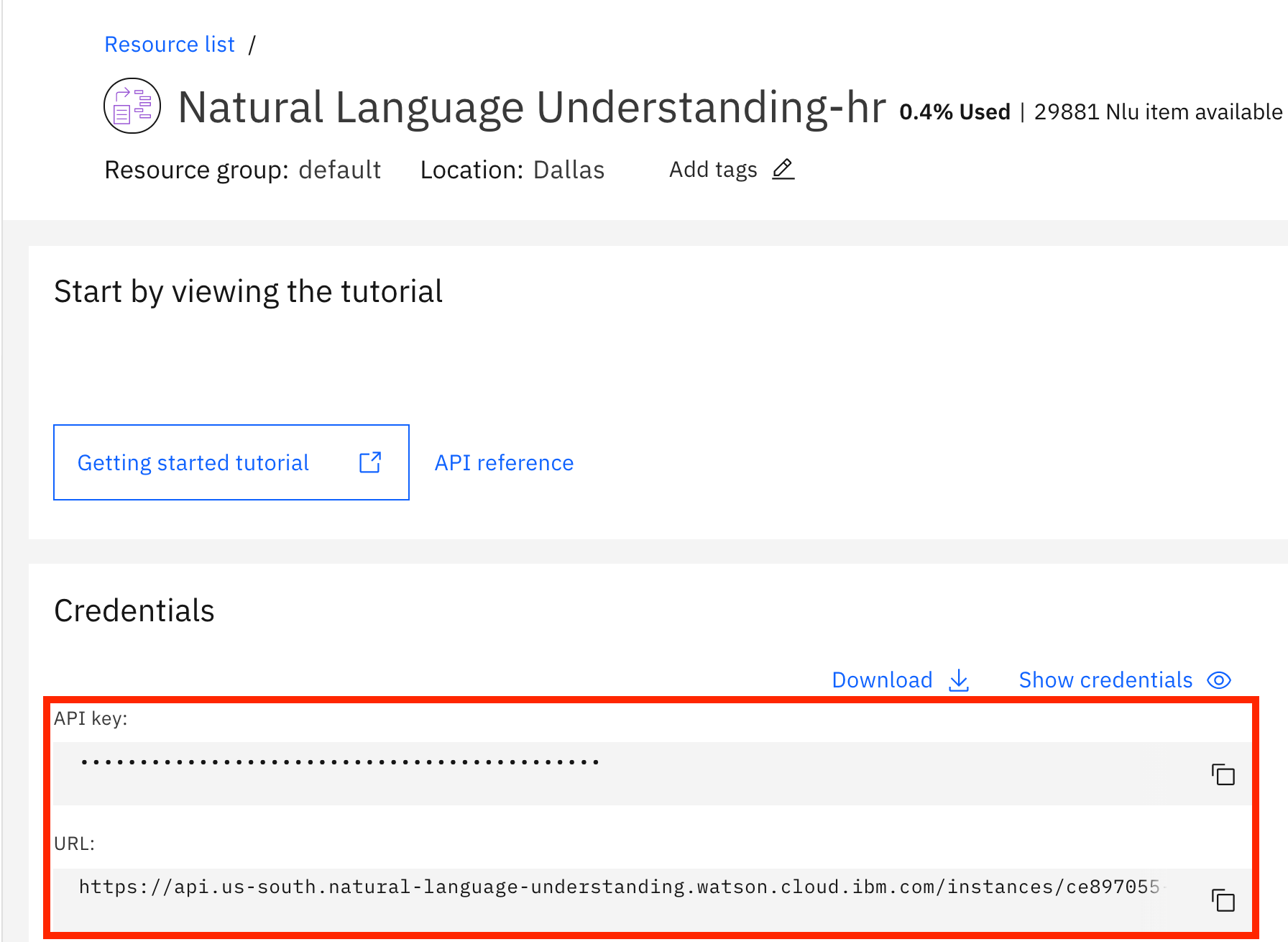
Next, we pass in our api-key, which is generated on IBM Cloud when you create the Watson Natural Language Understanding service to create an instance in our Node.js code. We also pass in the instance URL, which is also found in the credentials tab of the IBM Cloud Service, as shown in the following figure.
We know that Watson can parse a website, so we pass in the url www.nytimes.com. We pass in the entities and keywords features and tell Watson that we only want the top two keyword and entity results by setting the limit to 2. We also enable the emotion and sentiment features so Watson will output that too.
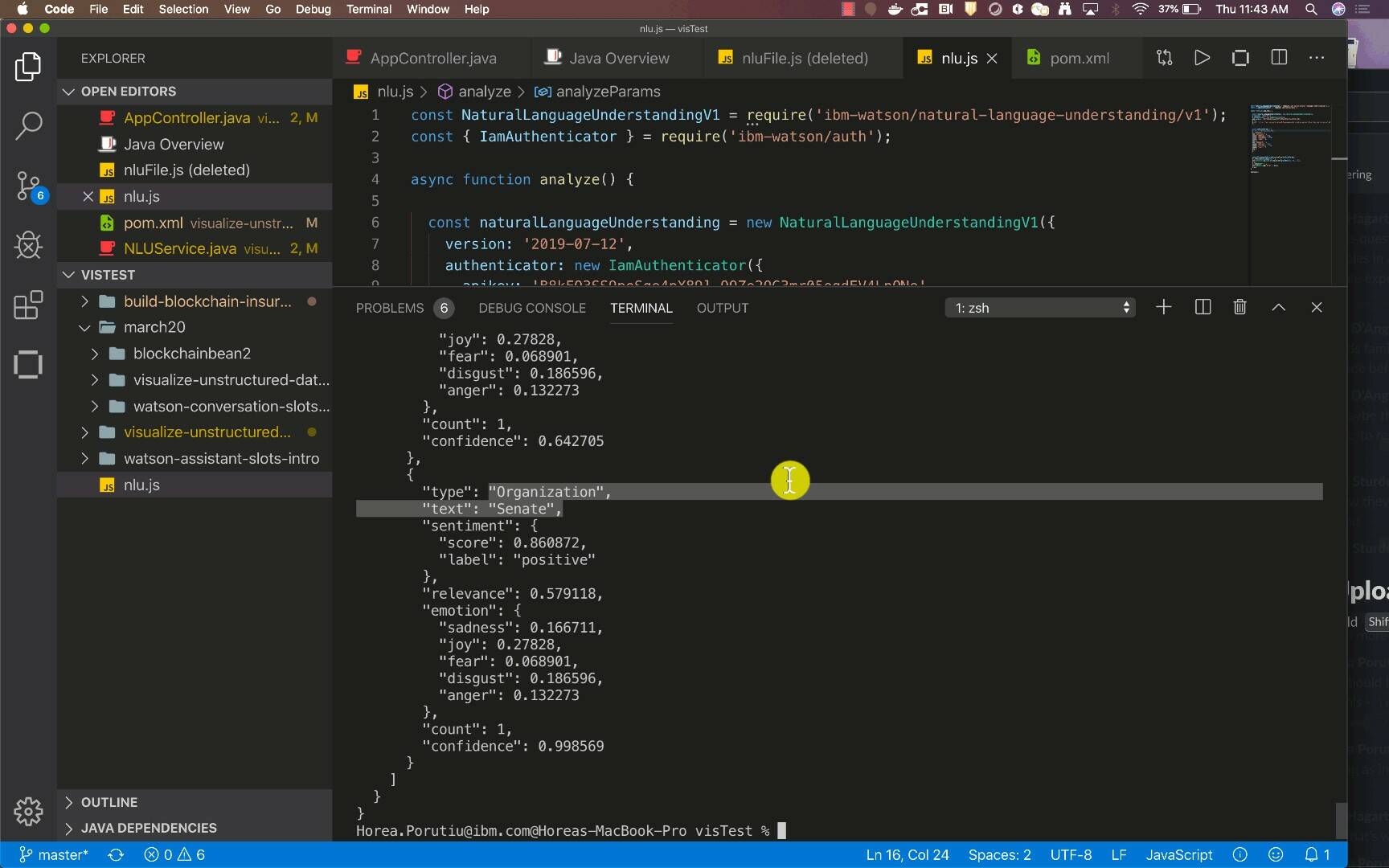
Finally, we use the analyze function of the Watson service to parse the nytimes.com website and output the top two keywords and entities that were found.
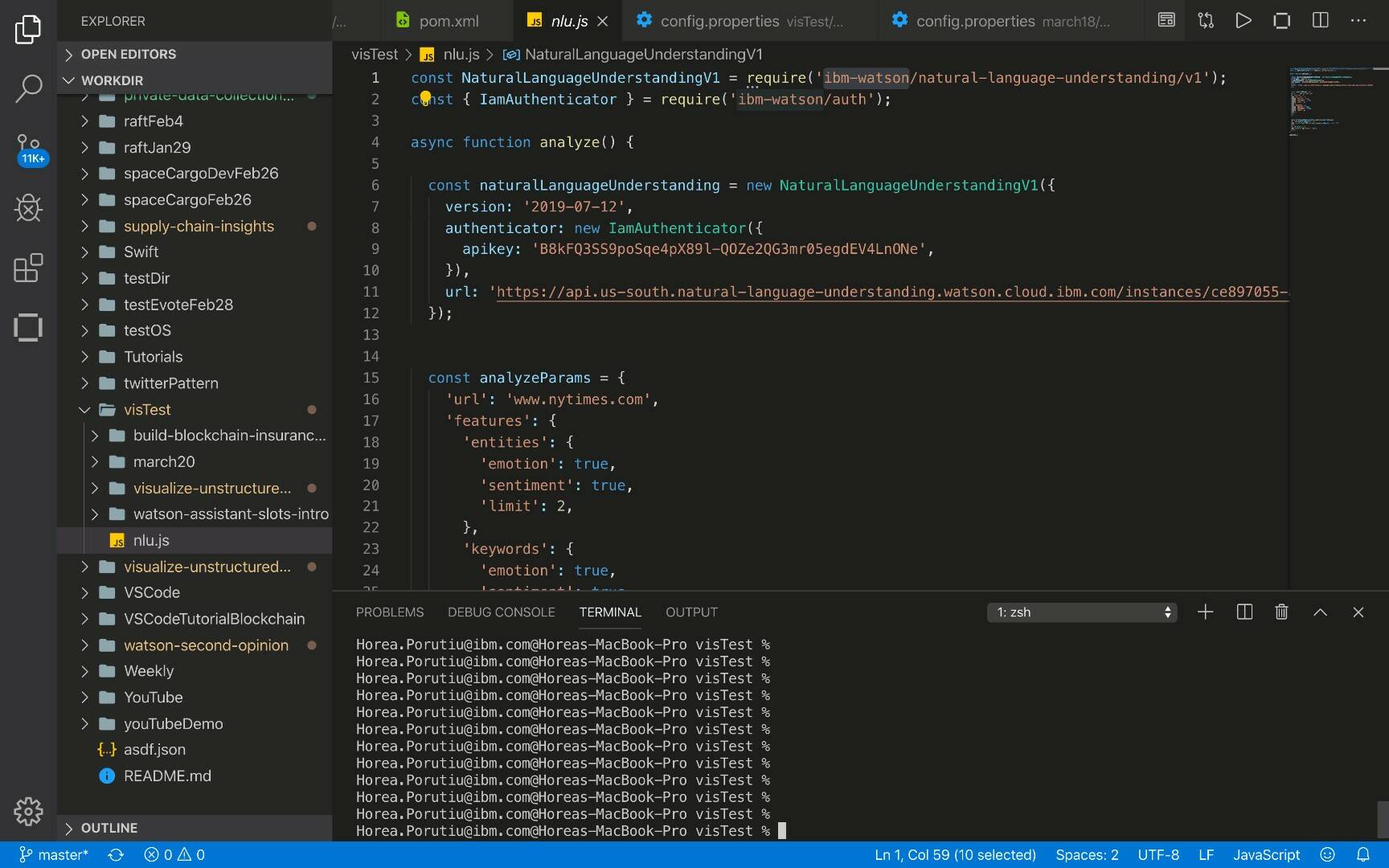
Go ahead and take the following code, open a code editor, create a new file named nlu.js, and then run npm install in the directory that contains that file. This installs the ibm-watson dependencies, which let you access the Watson Natural Language Understanding API. Next, enter your apiKey and url in the first few lines of the function.
javascript

const NaturalLanguageUnderstandingV1 = require('ibm-watson/natural-language-understanding/v1');
const { IamAuthenticator } = require('ibm-watson/auth');


async function analyze() {


  const naturalLanguageUnderstanding = new NaturalLanguageUnderstandingV1({
    version: '2019-07-12',
    authenticator: new IamAuthenticator({
      apikey: '<apiKey>',
    }),
    url: 'https://api.us-south.natural-language-understanding.watson.cloud.ibm.com/instances/<instanceId>',
  });


  const analyzeParams = {
    'url': 'www.nytimes.com',
    'features': {
      'entities': {
        'emotion': true,
        'sentiment': true,
        'limit': 2,
      },
      'keywords': {
        'emotion': true,
        'sentiment': true,
        'limit': 2,
      },
    },
  };


  naturalLanguageUnderstanding.analyze(analyzeParams)
    .then(analysisResults => {
      console.log(JSON.stringify(analysisResults, null, 2));
    })
    .catch(err => {
      console.log('error:', err);
    });
}


analyze();
Go ahead and run the code, node nlu.js. The following demo shows a sample output of running the script.
Summary
This article provided an overview of Watson natural language processing services. It explained how IBM Watson can help you use natural language processing services to develop increasingly smart applications, focusing on using the Watson Natural Language Understanding and Watson Knowledge Studio services.