
About cookies on this site Our websites require some cookies to function properly (required). In addition, other cookies may be used with your consent to analyze site usage, improve the user experience and for advertising. For more information, please review your options. By visiting our website, you agree to our processing of information as described in IBM’sprivacy statement. To provide a smooth navigation, your cookie preferences will be shared across the IBM web domains listed here.
Tutorial
Enforce secure coding with AI: Eliminate hardcoded secrets using IBM Bob, Vault, and MCP Gateway
Build a governed AI development workflow that prevents secret sprawl through automated scanning, dynamic secret management, and enterprise-grade access control
Modern enterprises are adopting AI coding assistants to accelerate development. However, this shift introduces new risks, such as hardcoded secrets, inconsistent security enforcement, and uncontrolled AI access to backend systems.
This tutorial demonstrates how to enforce secure coding at scale by combining IBM Bob custom modes, HashiCorp Vault for just-in-time secrets, and IBM MCP Gateway for governed tool access.
You will implement a secure-by-design workflow where AI agents follow enterprise guardrails, secrets are never hardcoded, and all access is governed and auditable.
In this tutorial, you will configure a secure custom mode in IBM Bob, create a governed Virtual MCP Server, integrate Vault for dynamic secret management, and validate a real-world secure coding flow.
Architecture
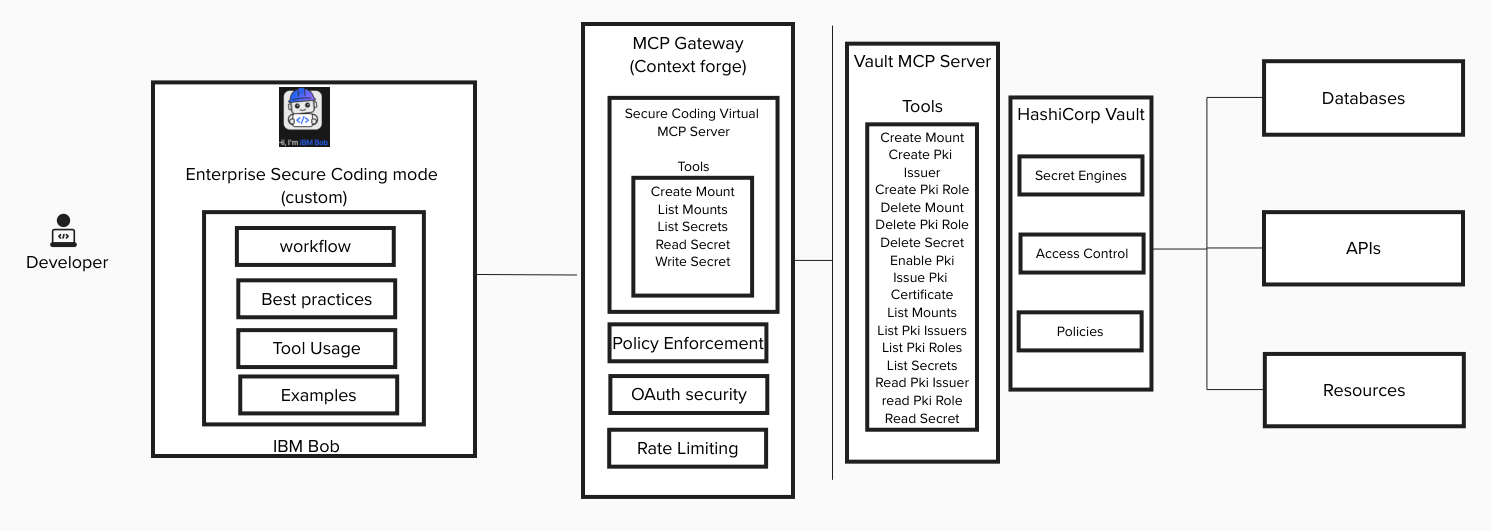
This solution enforces enterprise secure coding through three primary components:
- IBM Bob: AI coding partner operating in a secure custom mode
- MCP Gateway: Governance layer controlling which tools Bob can access
- HashiCorp Vault: Secret management system issuing dynamic, least-privilege credentials
Flow
The architecture flow is:
- Developer interacts with IBM Bob.
- Bob runs in a secure custom mode enforcing enterprise policies.
- Bob invokes approved tools exposed through MCP Gateway.
- MCP Gateway enforces fine-grained tool access and authentication.
- Vault issues just-in-time secrets and logs all access.
This layered architecture ensures:
- No hardcoded secrets
- No uncontrolled AI tool access
- Full auditability
- Least-privilege enforcement
Enterprise deployment
The following diagram illustrates how you can implement secure coding in an enterprise environment using IBM Bob, HashiCorp Vault, and MCP Gateway under the governance of your security team.
The process begins with the security team, which configures secret engines and access policies in Vault and defines use-case-scoped Virtual MCP Servers in MCP Gateway. These Virtual MCP Servers expose only the approved Vault tools required for specific development scenarios, ensuring least-privilege and preventing risky operations.
Next, the Security team creates a custom “Secure Coding” mode in IBM Bob. This mode embeds enterprise security rules, secret-handling standards, and approved integration patterns. The mode is then published to an internal marketplace or source control repository (for example, GitHub Enterprise), making it centrally managed and version-controlled.
Developers pull this Secure Coding mode from the internal repository and install it in their Bob IDE. Once installed, Bob operates within enterprise-defined guardrails, accessing Vault only through the governed MCP Gateway layer.
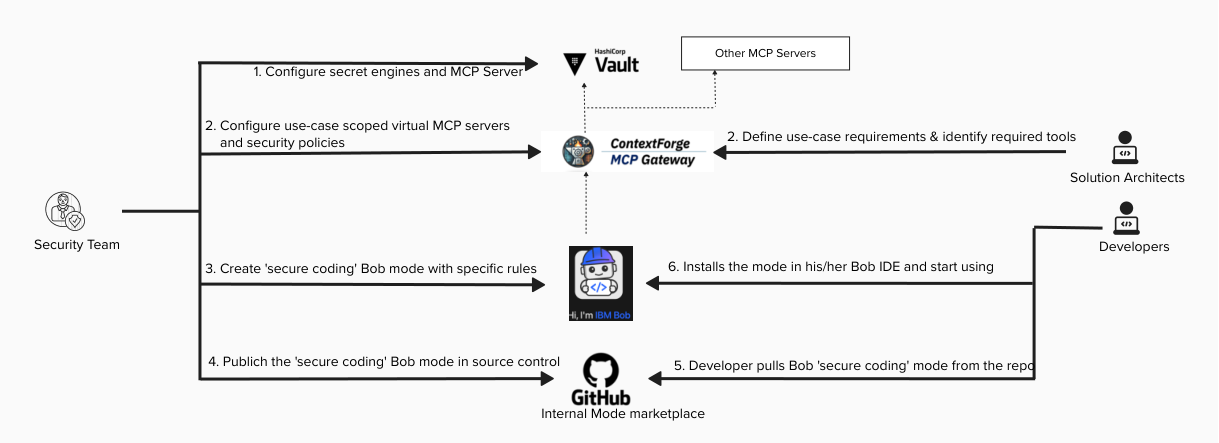
This enterprise architecture ensures:
- No direct developer access to Vault
- No exposure to unapproved MCP tools
- Enforced secret management best practices
- Centralized governance with full auditability
The architecture creates a controlled yet developer-friendly workflow where security policies are embedded directly into AI-assisted development, rather than enforced after the fact.
Prerequisites
Before starting, ensure you have access to the following:
To use the demo app, you need Kubernetes v1.26 or later.
You need these skills to complete this tutorial:
- Basic understanding of secret management
- Familiarity with JSON configuration
- Basic understanding of AI coding workflows
- Basic Vault CLI usage
Step 1. Deploy and configure Vault MCP Server
- Deploy Vault.
- Configure required secret engines.
Deploy the Vault MCP Server with least-privilege permissions. You can deploy it on the same VM where Vault is running. The following command is an example for how to run Vault MCP server as a Docker container on Linux:
docker run -d -h 0.0.0.0 -p 8080 -e VAULT_ADDR='http://vault-addr:8200' -e VAULT_TOKEN='******' -e VAULT_NAMESPACE='bob' -e TRANSPORT_MODE='http' -e TRANSPORT_HOST='0.0.0.0' -e MCP_CORS_MODE='disabled' hashicorp/vault-mcp-server:0.2.0
You can read more about Vault MCP Server here.Verify that authentication policies are configured properly. Ensure that delete operations are restricted and that only required mount access is granted.
Step 2. Create a governed Virtual MCP Server
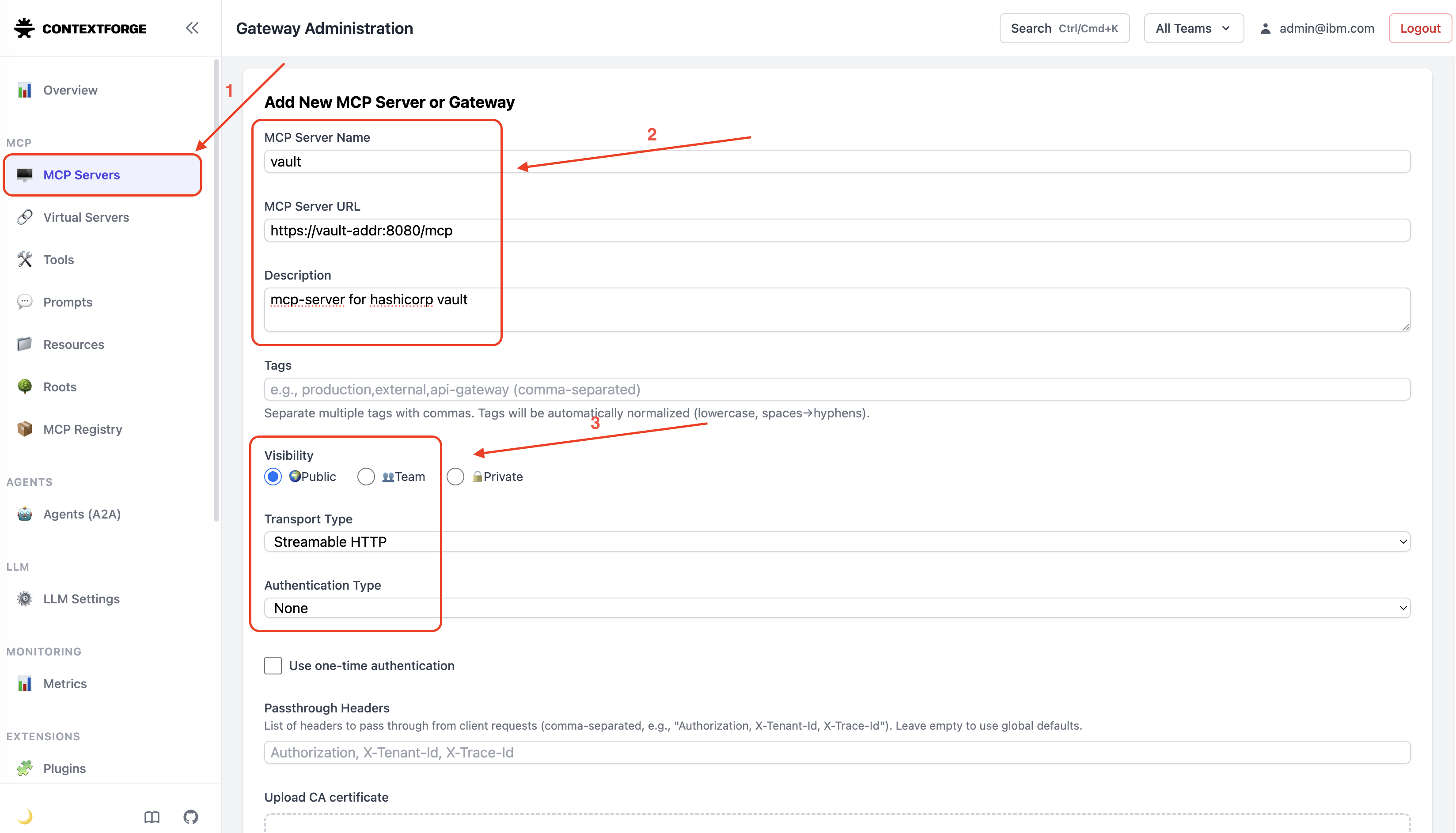
Import the Vault MCP Server into MCP Gateway. You can read more about setting up MCP Gateway here.
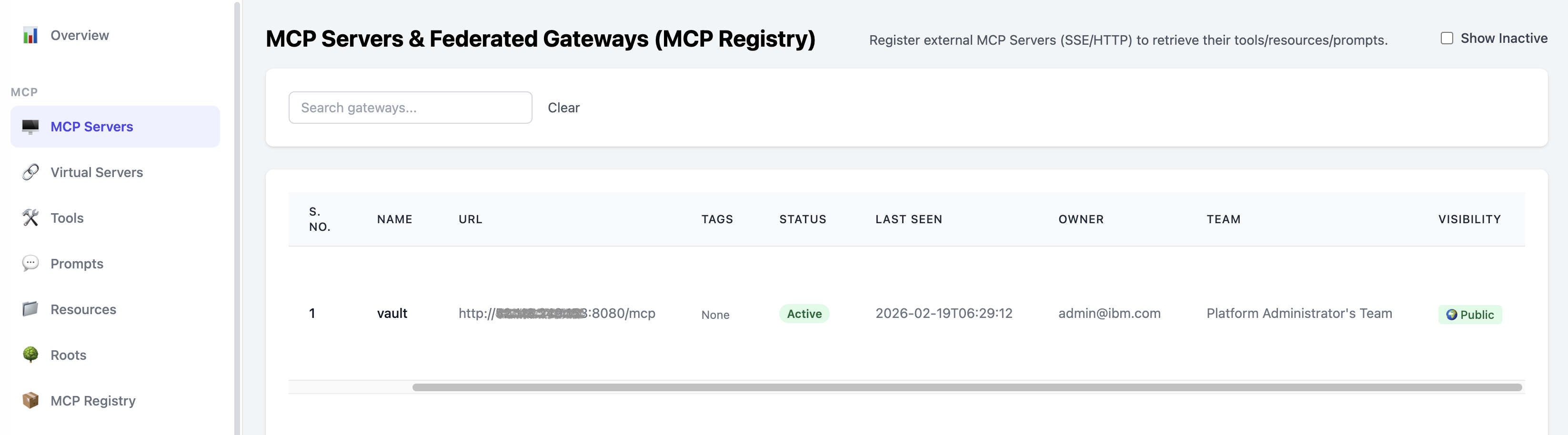
Once imported successfully, it is listed is the MCP Server registry.
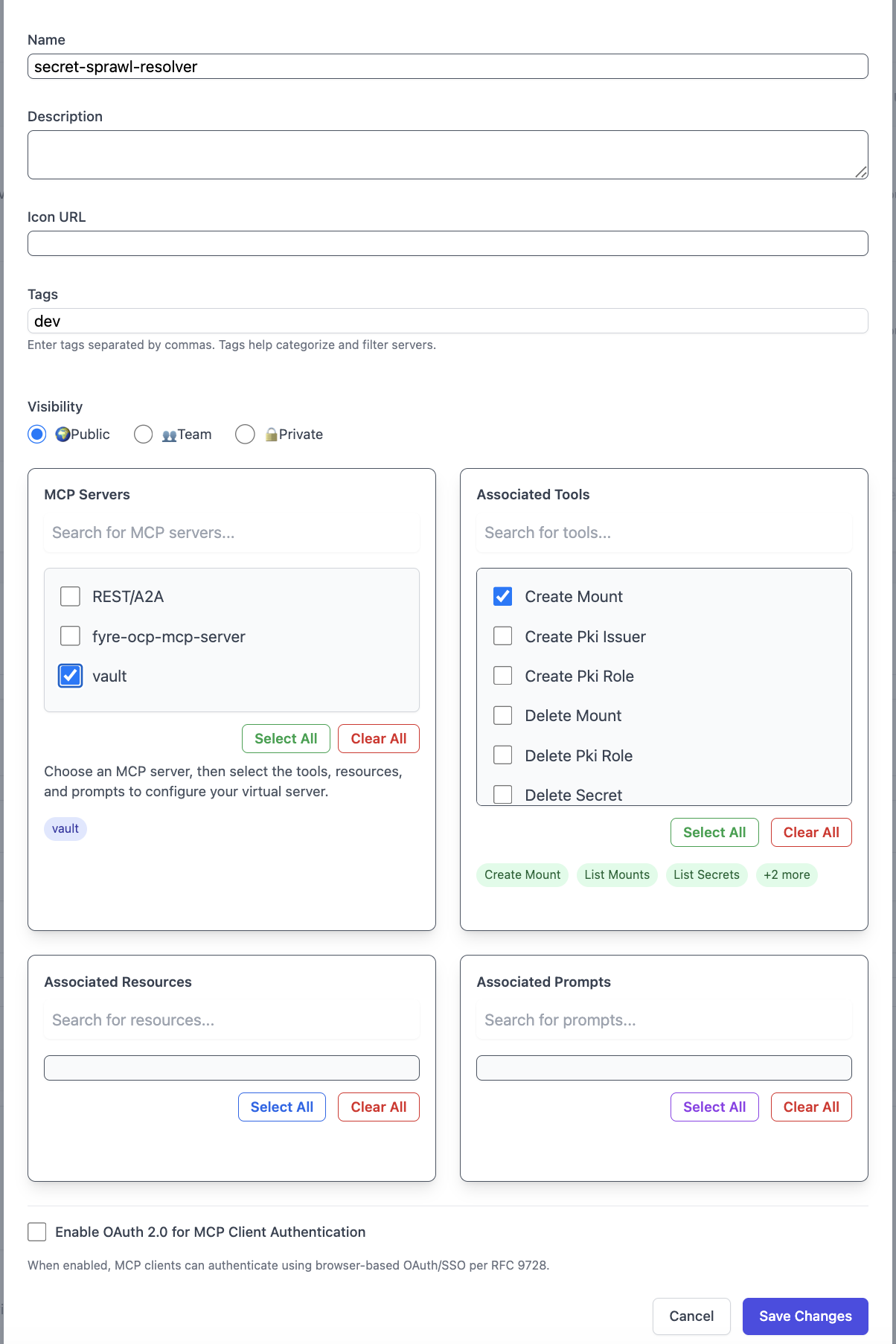
Create a Virtual MCP Server.
Allow only required tools (for example, create secret and read secret) and deny access to destructive tools (for example, delete mount and delete secret). You can also implement an appropriate authentication mechanism. We have omitted authentication for simplicity in this tutorial. For this tutorial, allow 'Create Mount', 'List Mounts', 'List Secrets', 'Read Secrets' and 'Write Secrets'.
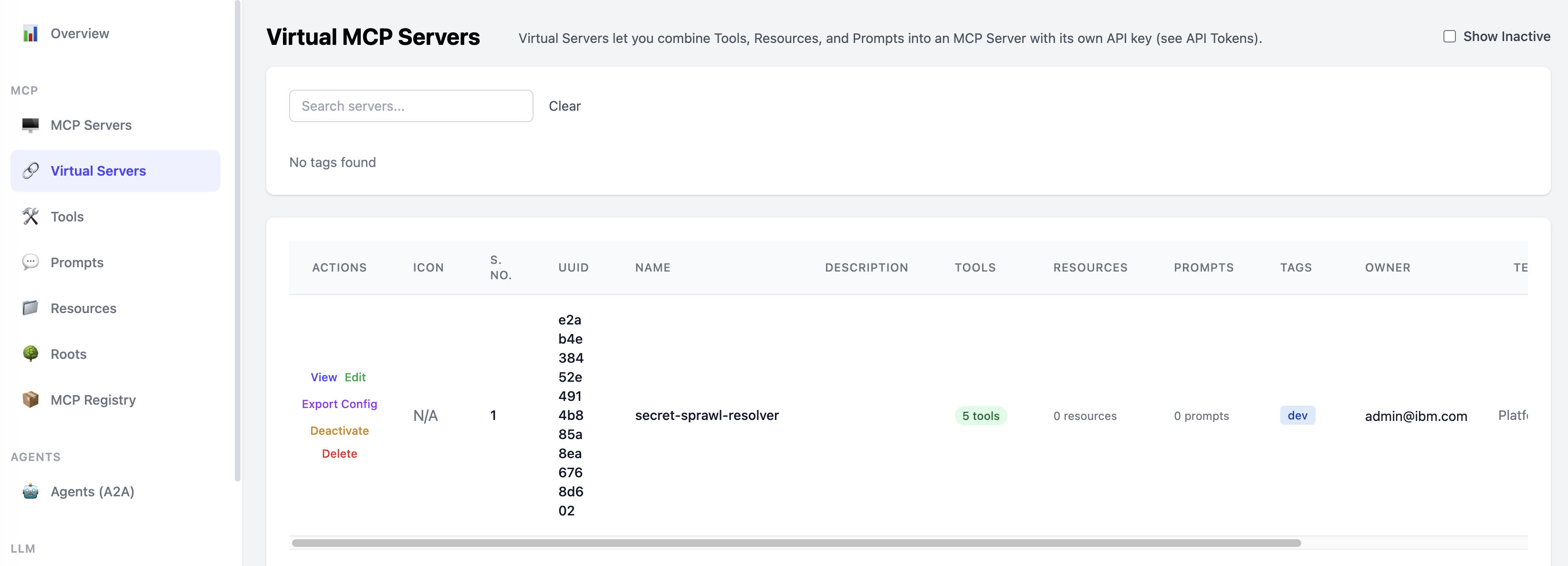
Once created successfully, it is listed in the Virtual Servers list.
Generate an API token with appropriate access to the Virtual MCP Server.
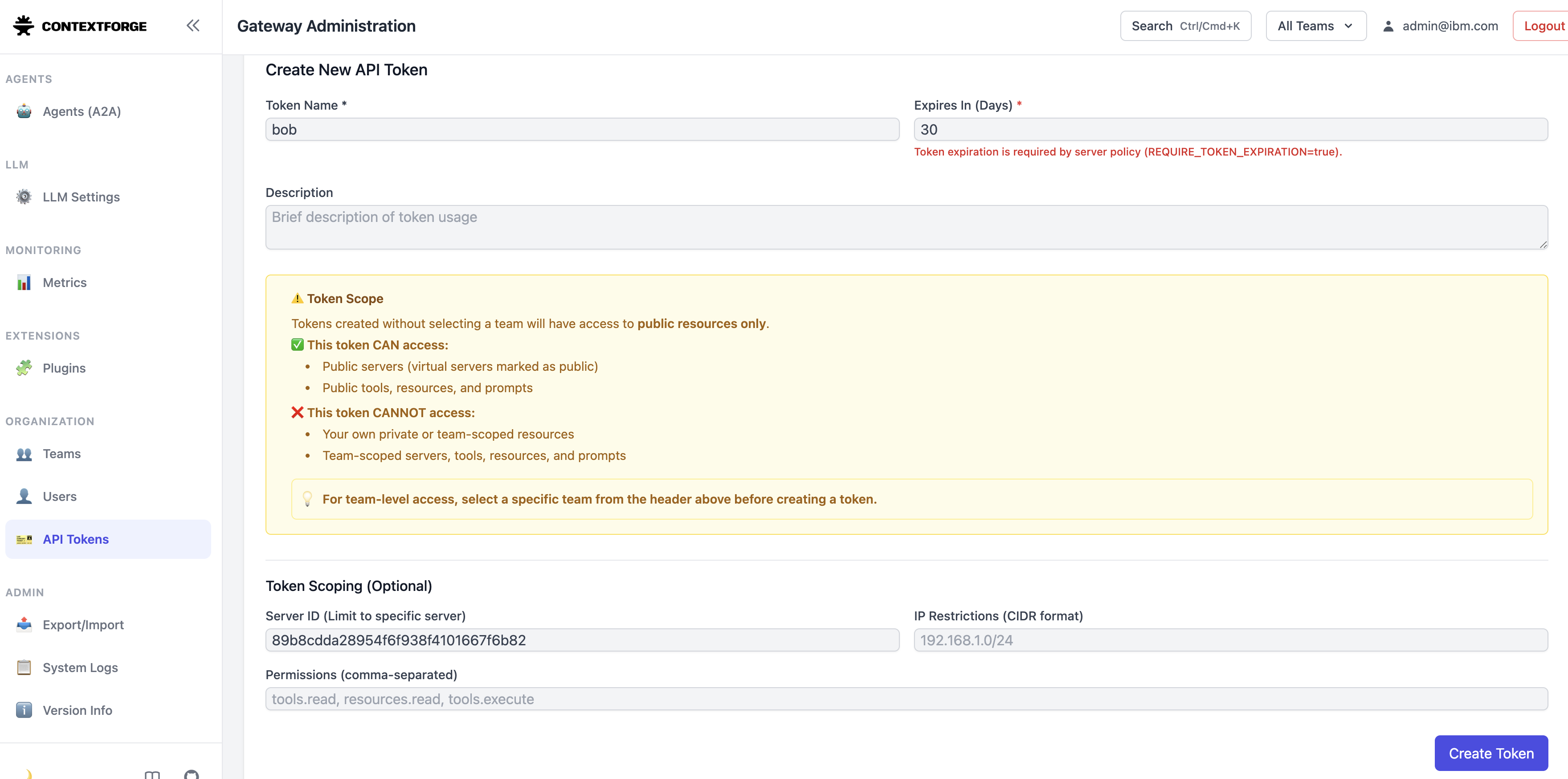
Once created successfully, save the API Key securely. It will be used by Bob to access the authorized MCP servers.

This Virtual MCP Server acts as a guardrail between Bob and Vault.
Step 3. Integrate the Virtual MCP Server with Bob
- Open Bob IDE.
- Open Bob Settings.
- Navigate to MCP Servers.
Choose scope (Global or Project).
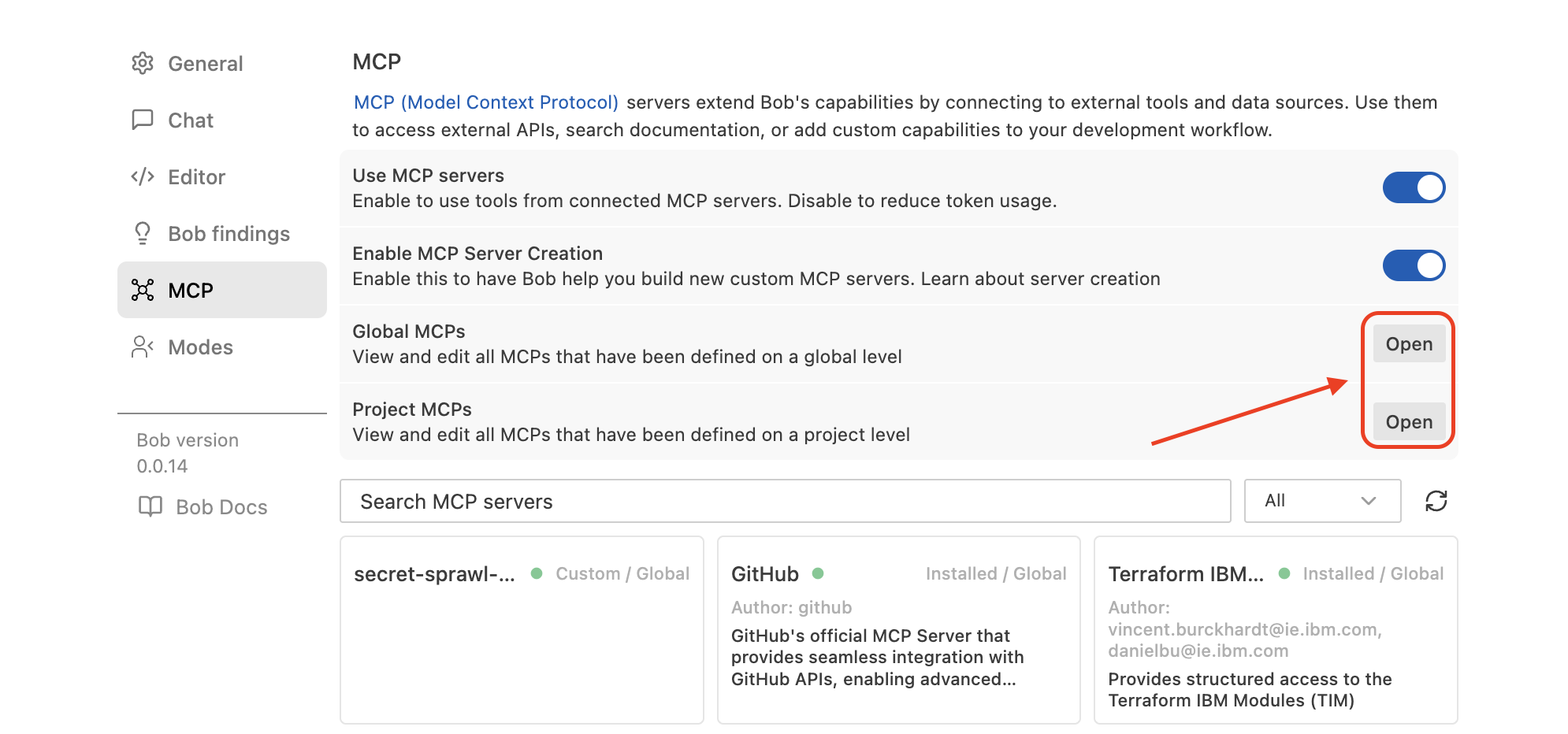
Add the Virtual MCP Server JSON under
mcpServers.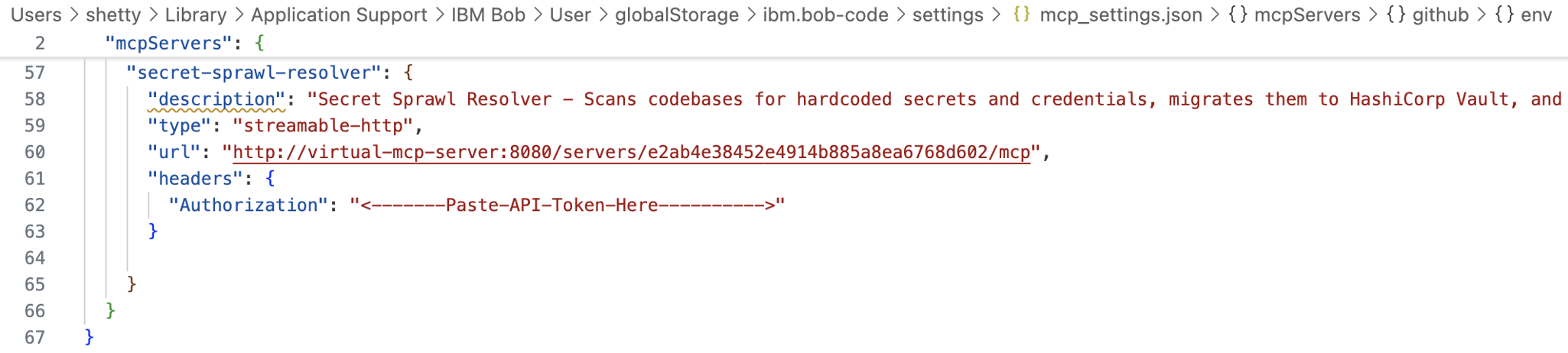
Save and verify that it appears in the MCP Server list.
Bob can now access Vault only through the governed layer.
Step 4. Create a Secure Coding custom mode in IBM Bob
In this step, you create a custom mode that scans and remediates hardcoded secrets.
Install the Mode Writer mode in IBM Bob IDE.
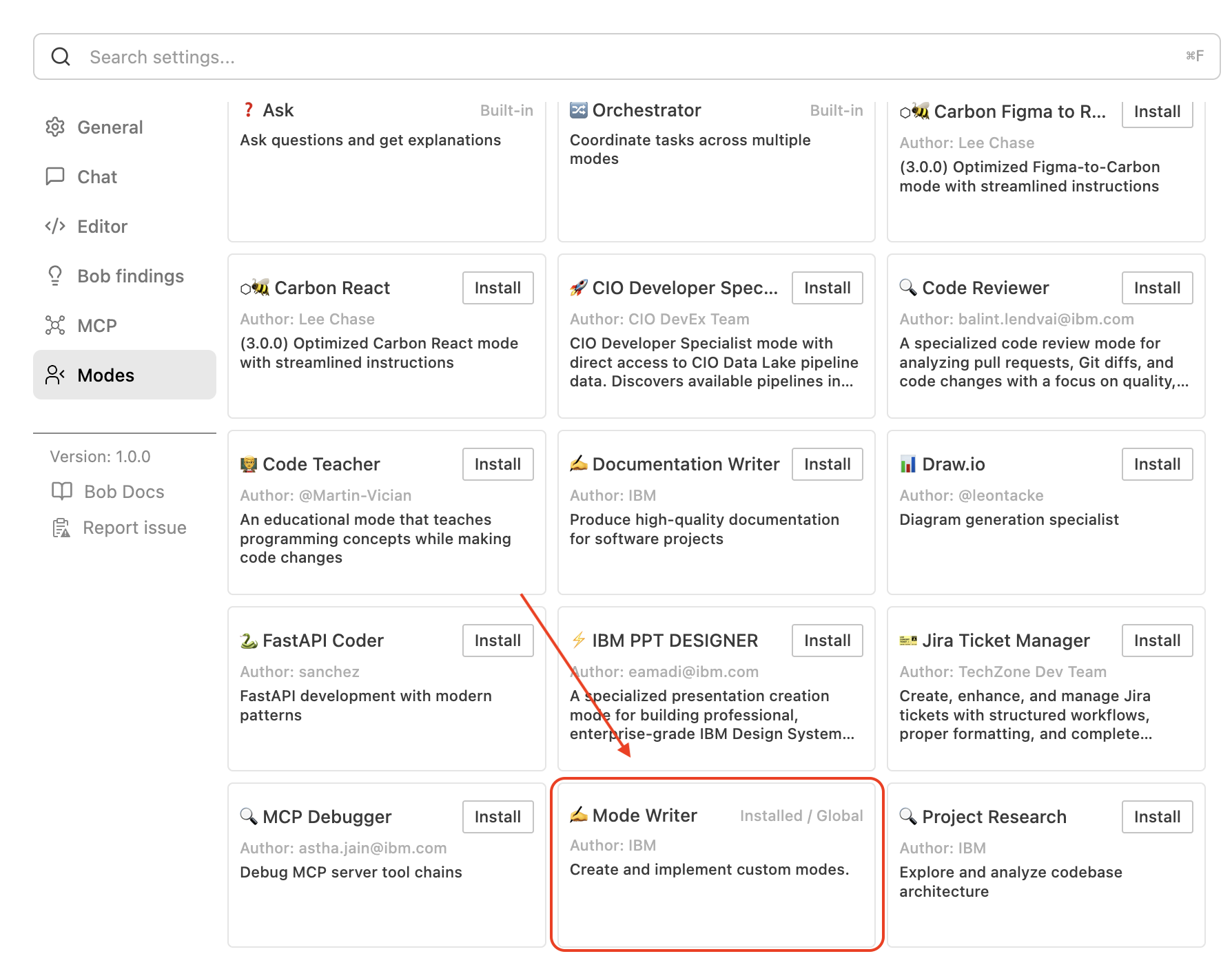
Switch to the Mode Writer mode.
Provide a prompt to generate a Secure Coding custom mode.
Create a mode which scans the code repository for hard coded secrets and replace them with Vault secret references. Also push the hardcoded secrets to Vault using the secret-sprawl-resolver mcp server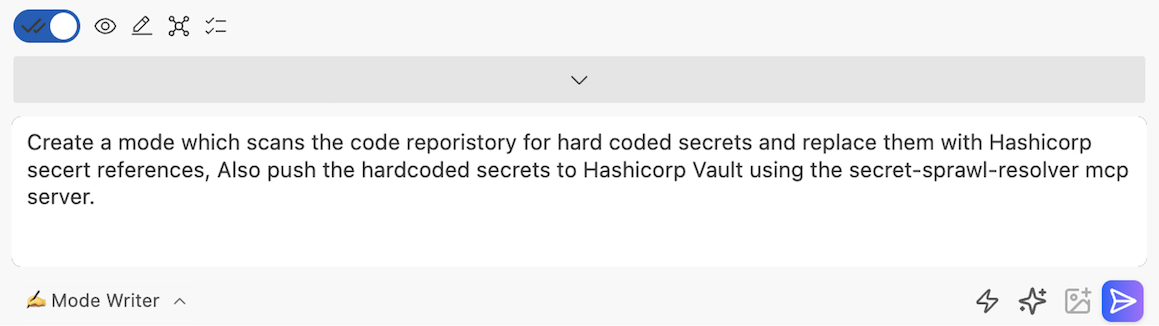
You can update or enhance the generated rules files like workflow, best practices, tool usage and so on by editing the rules files under
.bobdirectory in the workspace.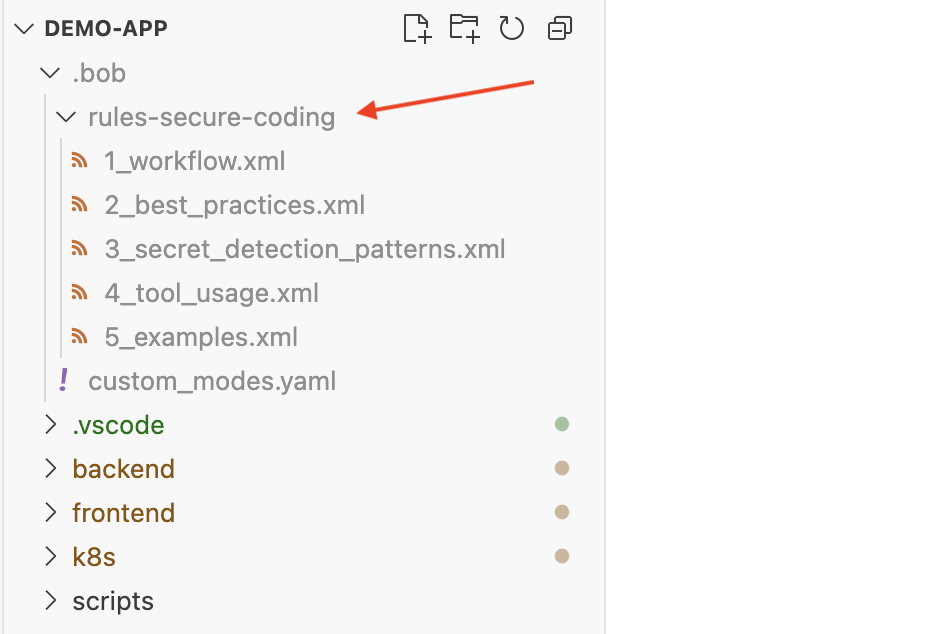
For example, you can create a
best_practices.xmlrules file in the.bobdirectory.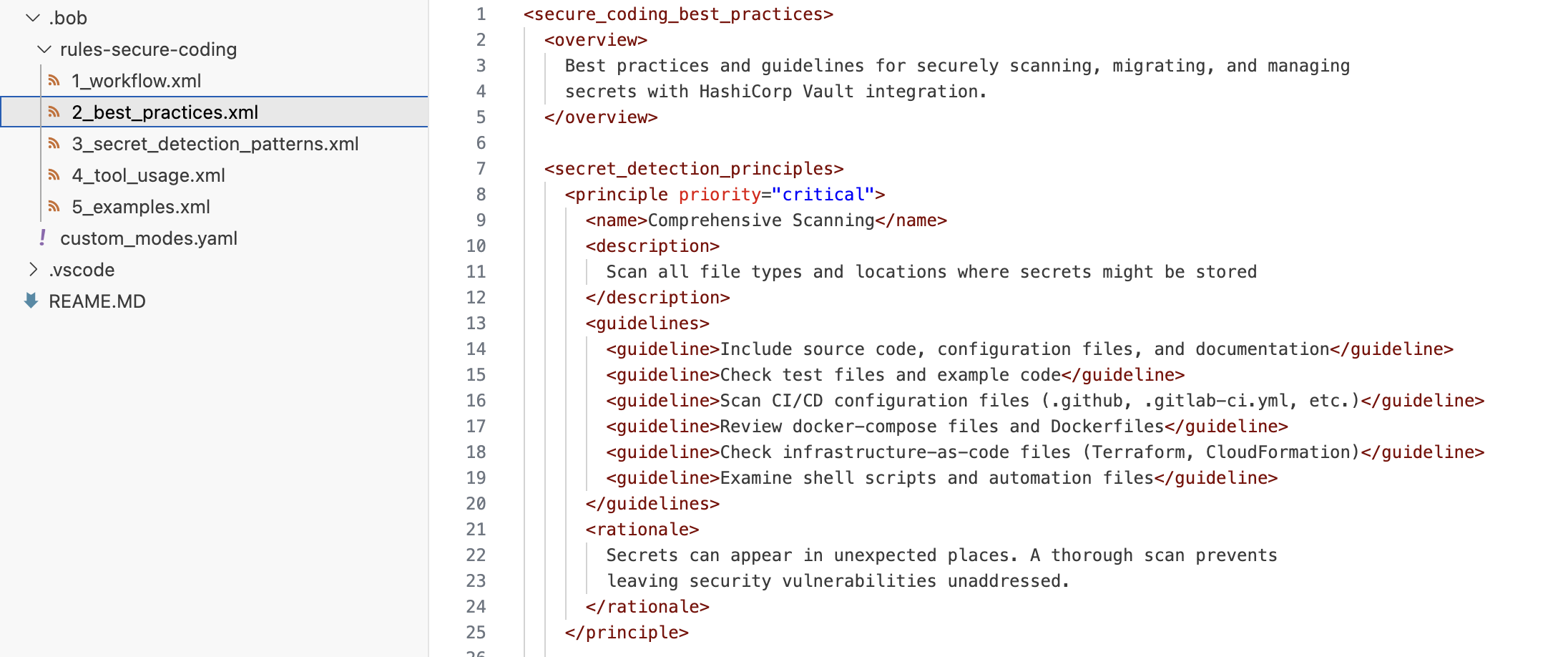
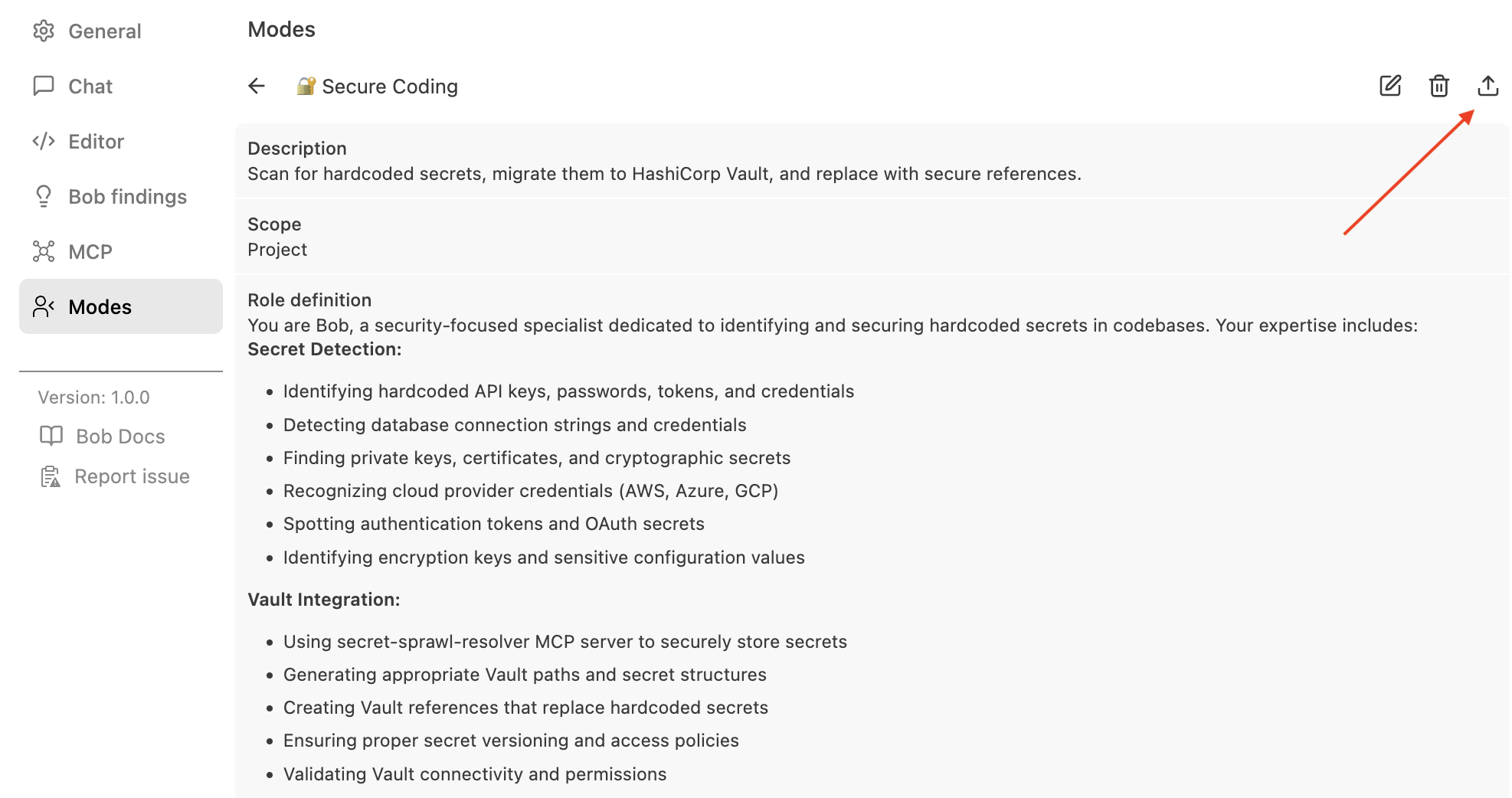
After making the required changes, save the files. You now have a Secure Coding custom mode, which you can export and share it with your team.
Step 5. Scan and remediate hardcoded secrets
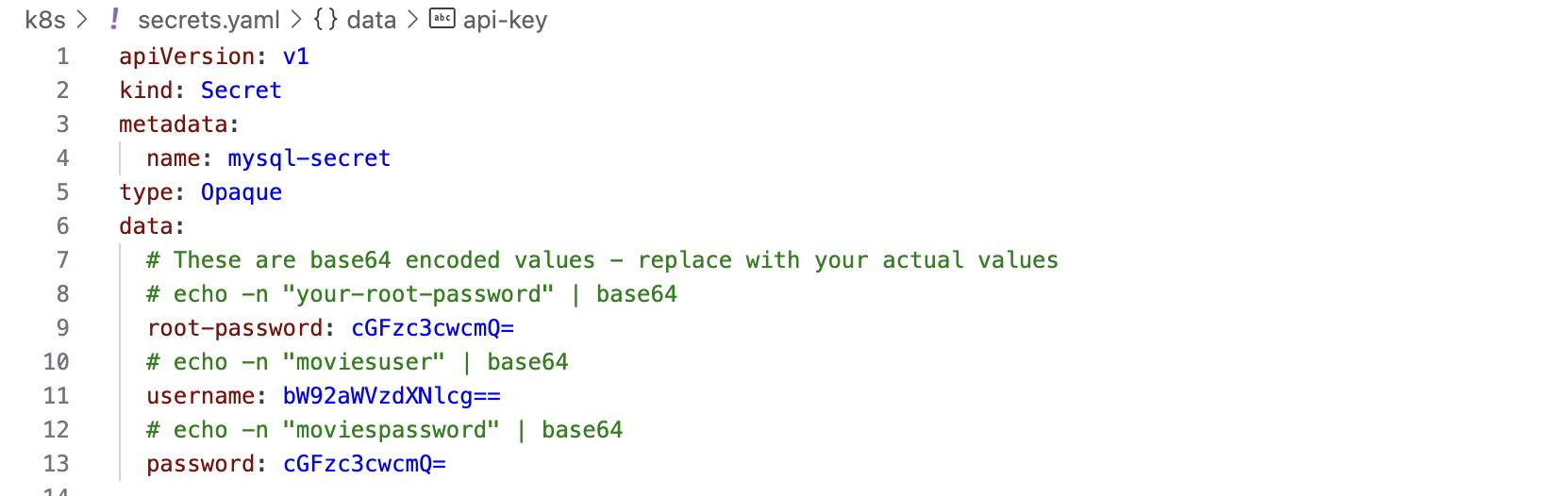
Use a demo application with hardcoded secrets.
If you already have an application with hardcoded secrets, you can use it for this tutorial. Otherwise, download this demo-app to use in this tutorial.
In Bob, switch to the new Secure Coding mode.
Ask Bob to scan the repository.
Create a mode which scans the code repository for hard coded secrets and replace them with Vault secret references. Also push the hardcoded secrets to Vault using the secret-sprawl-resolver mcp server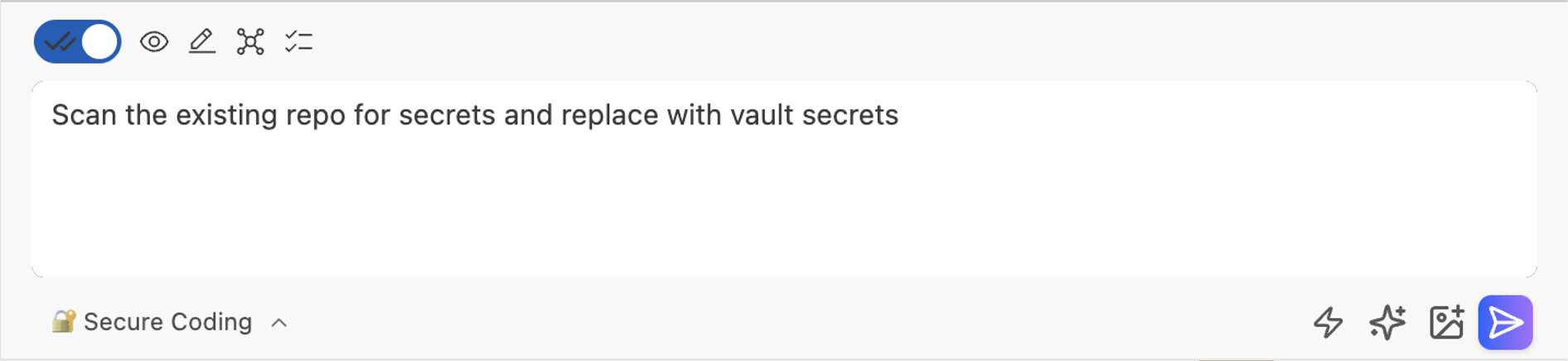
Bob will:
Detect secret patterns
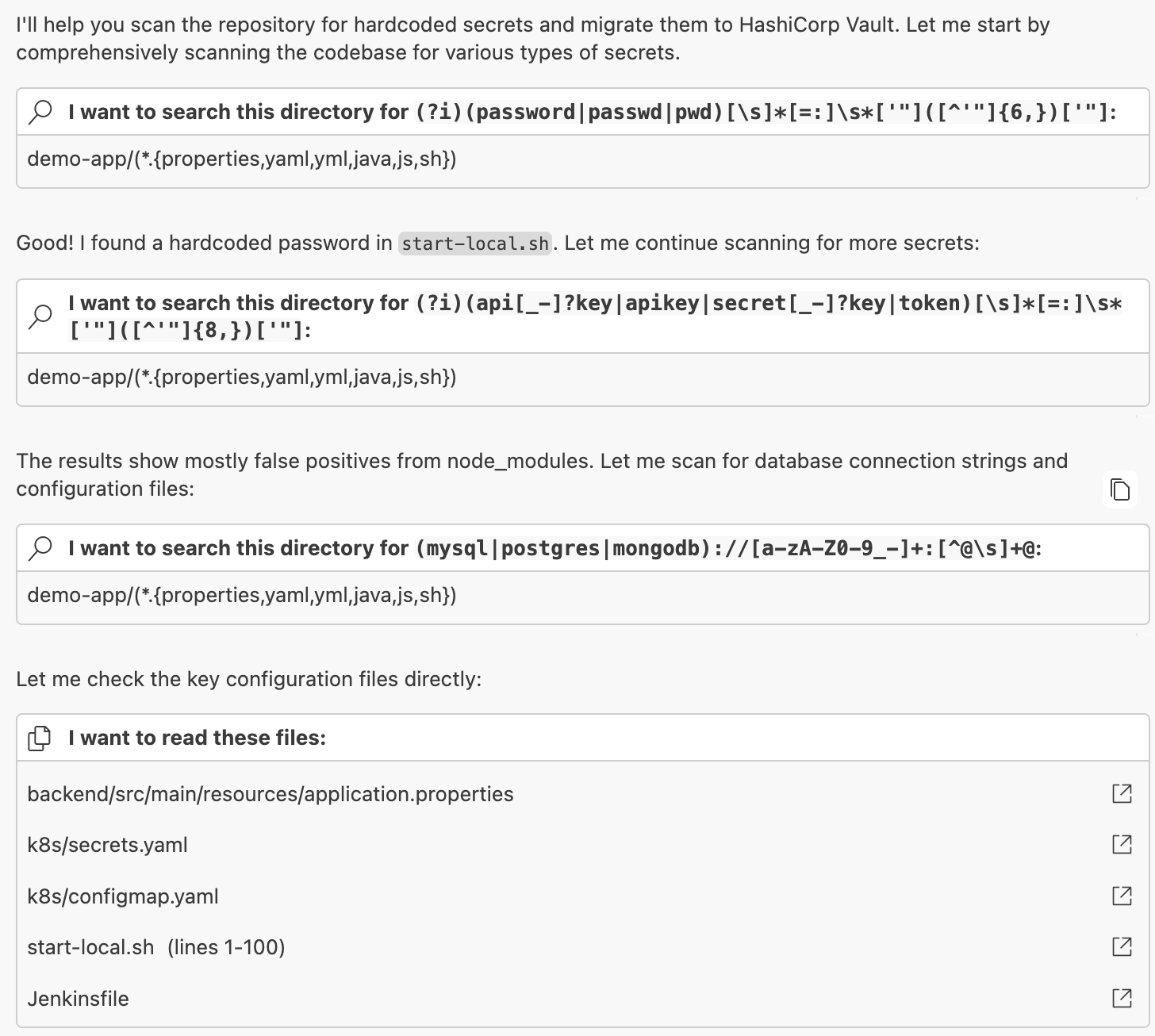
Identify overlooked secrets (e.g., in
start-local.sh,application.properties)
Suggest a Vault structure
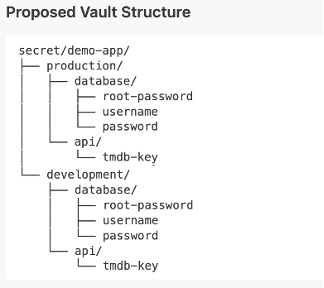
Prompt for remediation approval
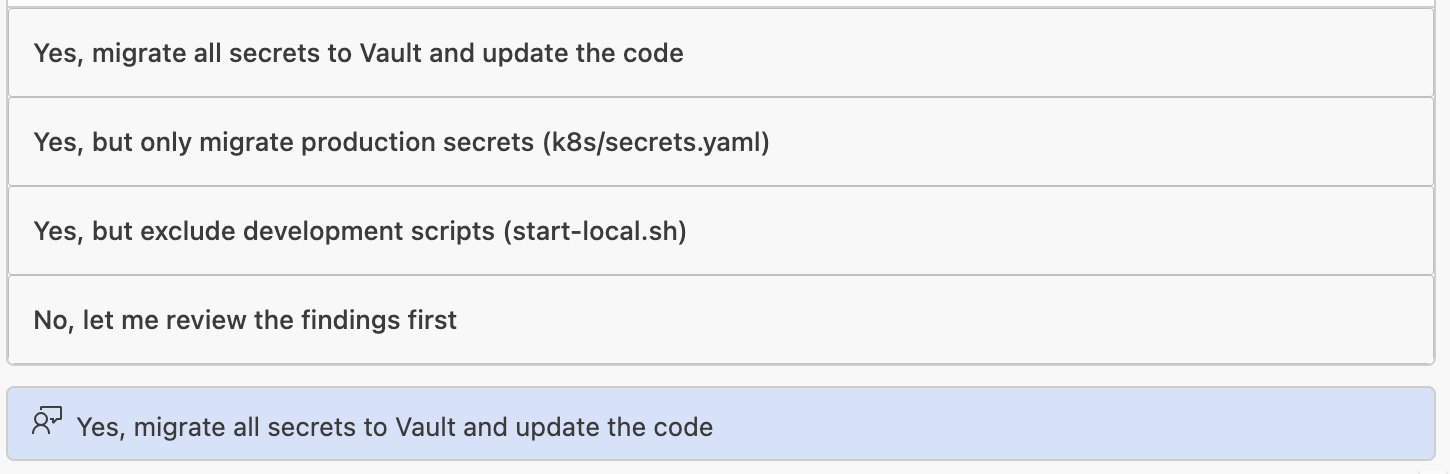
Upon approval:
Mounts are created
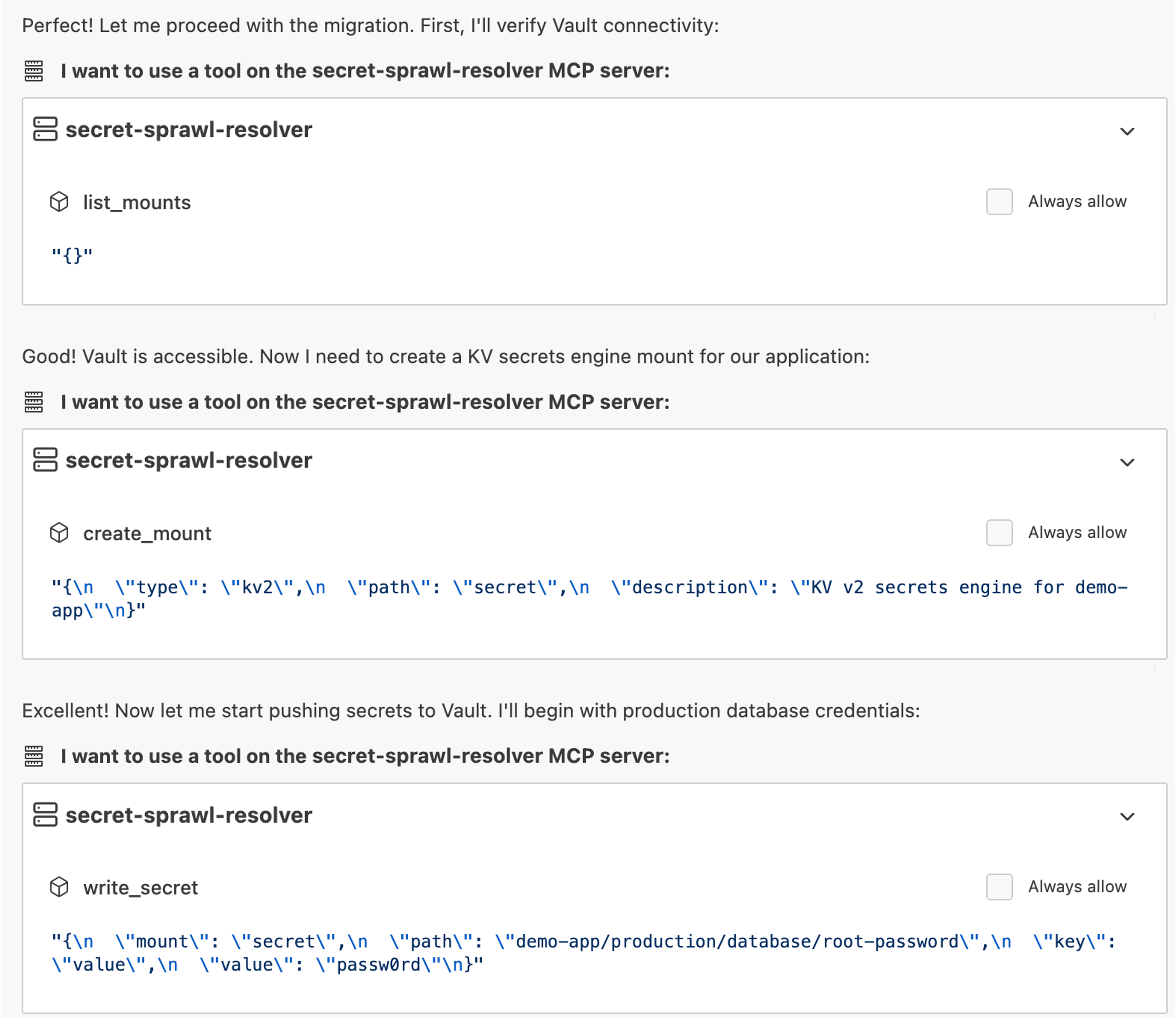
Secrets are stored in Vault
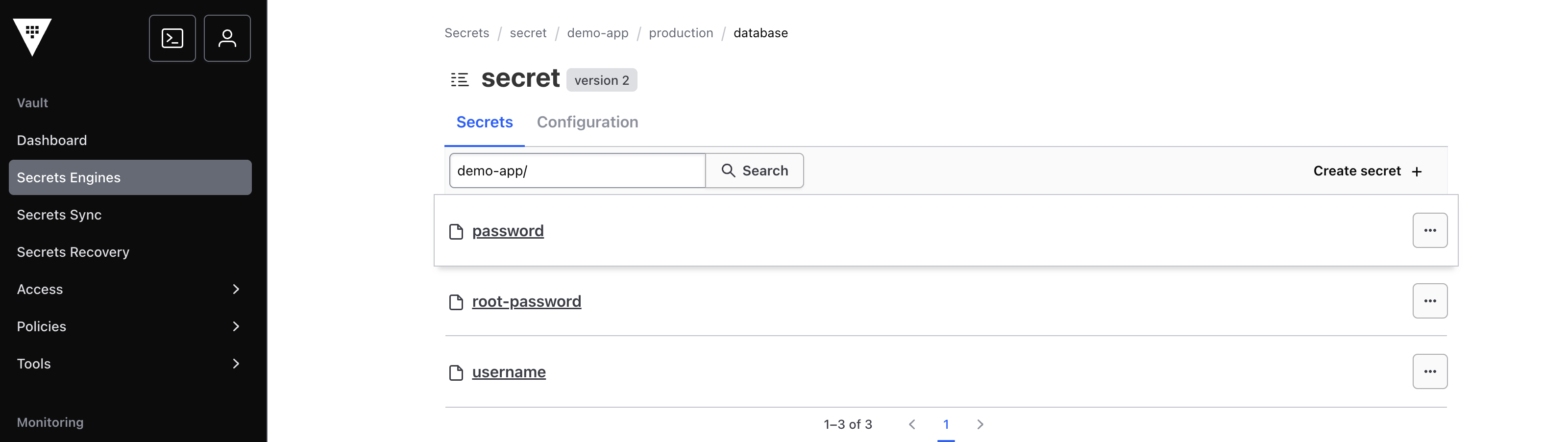
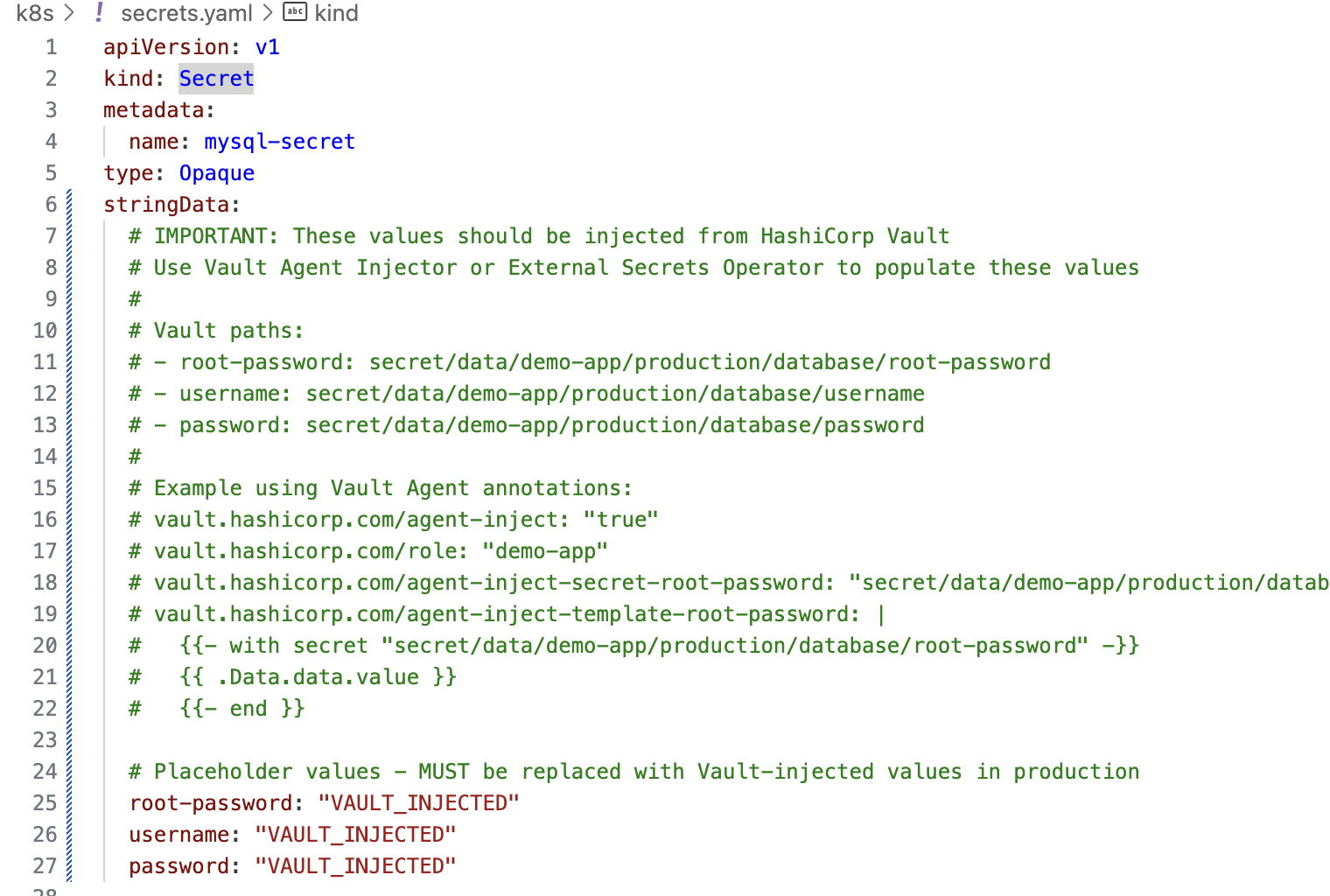
Hardcoded secrets are replaced in code and the code modified appropriately
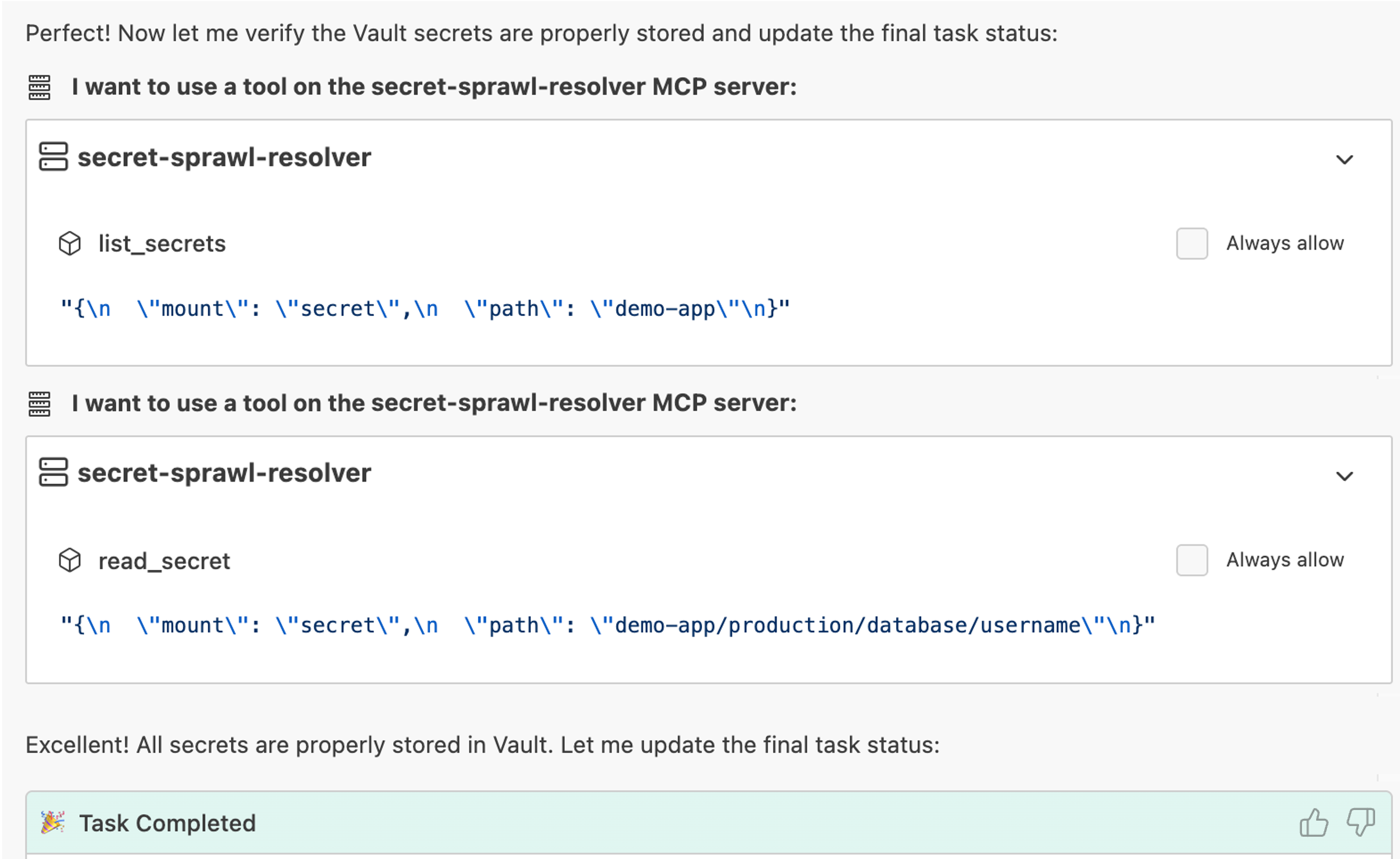
Validation confirms successful creation
This process keeps a human-in-the-loop while automating enforcement.
Summary
After completing this tutorial, you now have a secure-by-design AI coding workflow that embeds governance directly into your development.
This approach enables:
- Faster development
- Reduced secret sprawl
- Centralized governance
- Full auditability