
About cookies on this site Our websites require some cookies to function properly (required). In addition, other cookies may be used with your consent to analyze site usage, improve the user experience and for advertising. For more information, please review your options. By visiting our website, you agree to our processing of information as described in IBM’sprivacy statement. To provide a smooth navigation, your cookie preferences will be shared across the IBM web domains listed here.
Blog Post
Available Now: ContextForge MCP Gateway 1.0.0 Beta
An open-source technology for managing and securing MCP servers for AI agents

Enterprises integrating AI agents face a critical challenge: how do you securely connect agents to existing business systems? That’s why we created ContextForge, the secure, governed bridge between AI agents and the tools and data they need to be effective.
MCP and the enterprise
While the Model Context Protocol (MCP) has emerged as the industry standard for connecting AI applications to external tools and data sources, it was not originally developed with enterprise needs in mind. Security concerns, operational complexity, lack of governance, and integration overhead when it comes to MCP servers have created a serious gap for businesses seeking to take advantage of agentic AI.
ContextForge MCP Gateway bridges the gap
ContextForge is a secure, intelligent gateway between AI agents and the tools they use that simplifies MCP server management. Instead of each agent maintaining dozens of separate connections, all tool, resource, and prompt activity flows through a single, governed gateway with full observability, policy-enforcement, and end-to-end security.
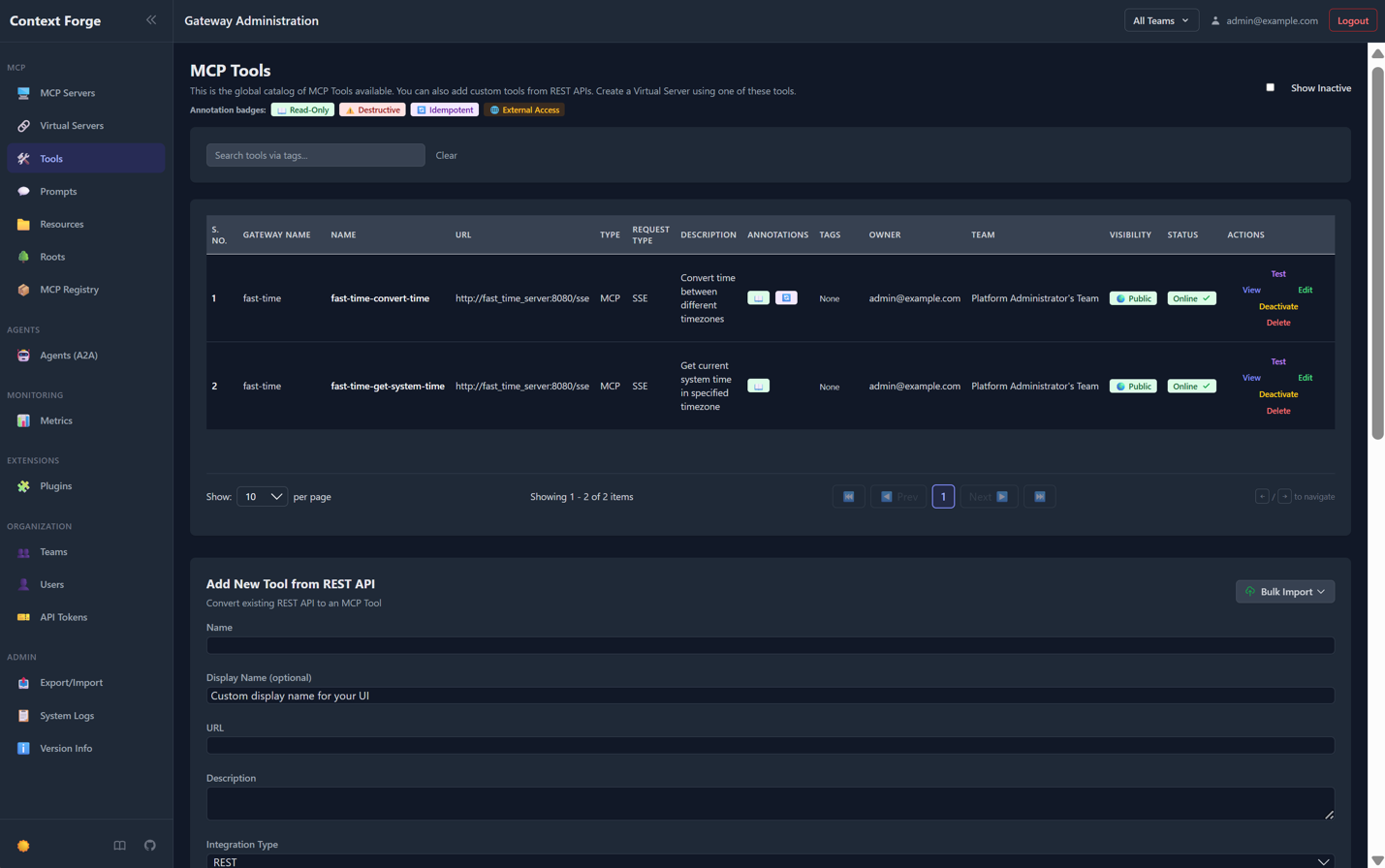
With ContextForge MCP Gateway, teams managing AI agents can:
- Manage all MCP servers in one place and connect with AI agents through a single, authenticated endpoint. ContextForge manages all the complexity of connecting to individual tool servers, handling different protocols, and maintaining credentials securely.
- Integrate with existing identity infrastructure with built-in security features for single sign-on, role-based access, complete audit trails, and data protection.
- Automatically update existing REST APIs as AI-accessible tools, without rewriting them, complete with proper authentication and rate limiting.
- Access more than 30 built-in safety guardrails that run automatically on every request, providing defense without requiring changes to your AI agents.
- Gain visibility into AI operations through a dashboard with insights like real-time status of all connected tool servers, response times, and error rates across your tool ecosystem, and which agents and users are most active. ContextForge can also be integrated with observability platforms like OpenTelemetry, allowing you to incorporate full lifecycle AI operations into your existing infrastructure.
Get Started with ContextForge MCP Gateway
ContextForge is available as an open-source project under the Apache 2.0 license.
You can deploy it as a container in your existing infrastructure:
docker run -d --name mcpgateway
 -p 4444:4444
 -e MCPGATEWAY_UI_ENABLED=true
 -e MCPGATEWAY_ADMIN_API_ENABLED=true
 -e HOST=0.0.0.0
 -e AUTH_REQUIRED=true
 -e PLATFORM_ADMIN_EMAIL=admin@example.com
 -e PLATFORM_ADMIN_PASSWORD=changeme
 -e DATABASE_URL=sqlite:///./mcp.db
 -e SECURE_COOKIES=false
ghcr.io/ibm/mcp-context-forge:latest
Or, you can run it directly with Python (using 3.11+ and uv):
BASIC_AUTH_PASSWORD=pass \
MCPGATEWAY_UI_ENABLED=true \
MCPGATEWAY_ADMIN_API_ENABLED=true \
PLATFORM_ADMIN_EMAIL=admin@example.com \
PLATFORM_ADMIN_PASSWORD=changeme \
PLATFORM_ADMIN_FULL_NAME="Platform Administrator" \
uvx --from mcp-contextforge-gateway mcpgateway --host 0.0.0.0 --port 4444
More configuration options are demonstrated in the Quick Start section of the project documentation.
The web-based administrative interface allows users to register tool servers, create virtual tool catalogs for different projects or teams, and monitor operations interactively with zero command line expertise required.
For organizations running Kubernetes, Helm charts are supplied to support production deployments requiring high availability and horizontal scaling.
ContextForge MCP Gateway 1.0.0 Beta
The 1.0.0-BETA-1 release includes:
- Multi-tenant workspaces. Separate environments for different teams with independent tool catalogs and permissions
- 35+ security plugins. PII detection, content filtering, rate limiting, policy enforcement, and many more allow you to apply pre and post hooks to any request
- Protocol translation. Connect to tools using different standards (REST, various MCP transports)
- Built-in observability. Metrics, logging, and tracing for operational visibility
- A high-performance architecture. Response compression, connection pooling, and optimized JSON processing for production workloads
- Deployment flexibility. Run on containers, Kubernetes, or directly with Python; supports PostgreSQL, MySQL, and SQLite databases with Redis for caching
You can find ContextForge MCP Gateway on GitHub. Please leave us a star!
For a simplified installation and management experience, check out a new desktop client for Context Forge that comes pre-packaged as a binary with a native app and CLI.
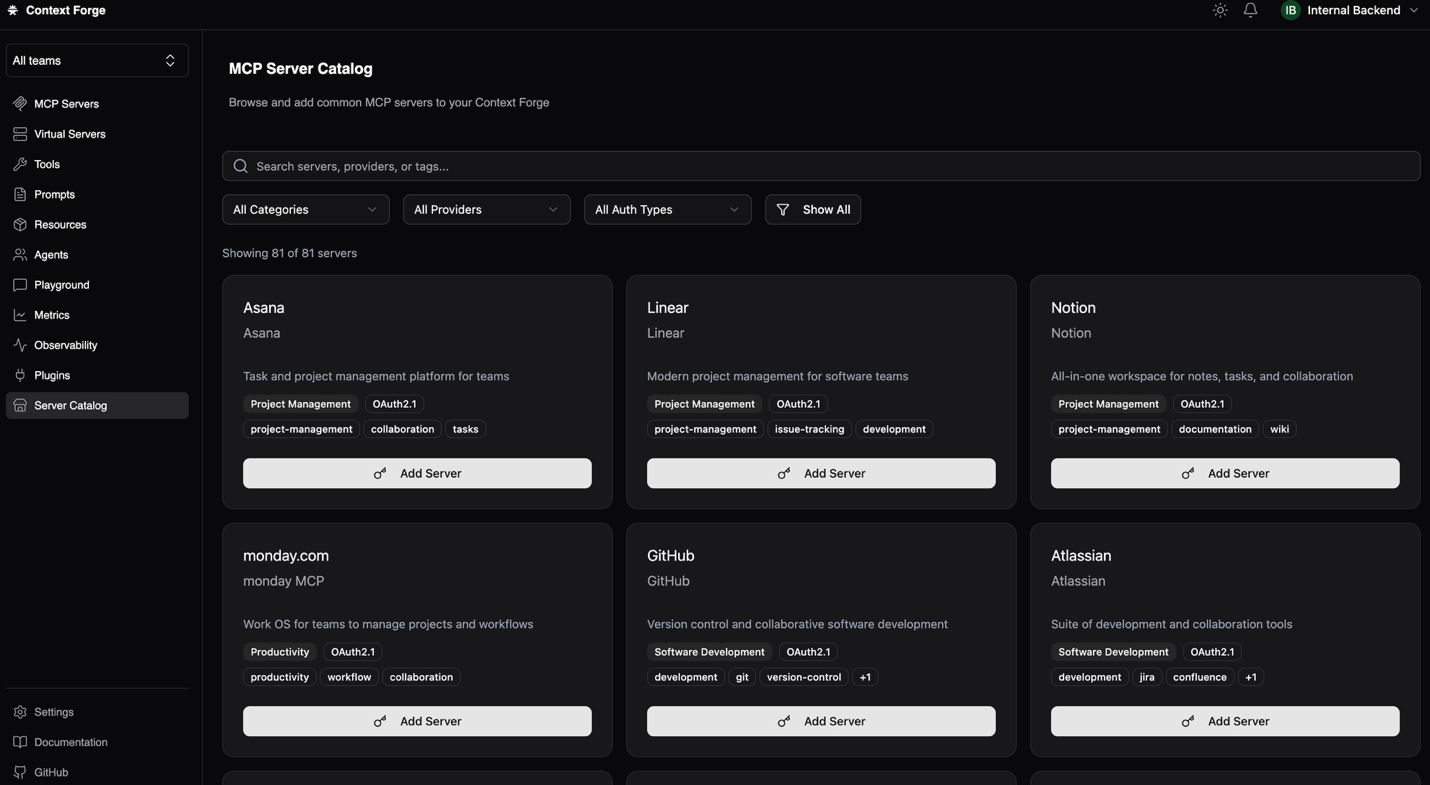
For organizations requiring production support, IBM Elite Support for MCP Context Forge provides 24x7x365 global support with a 2-hour SLA. Contact your IBM representative or IBM Business Partner for availability. Learn more about Context Forge MCP Gateway in the docs.